

Do you have an iPhone? No problem, NFC reading of bluon.me works with Apple smartphones too!
The most recent models, such as iPhone 13 and 14 and from Xs, Xs Max and Xr onwards, can read NFC tags without needing an app: to proceed with scanning simply unlock your iPhone, bring it close (from the camera area) to the chip contained in the wristband and tap on the notification that appears on the screen.
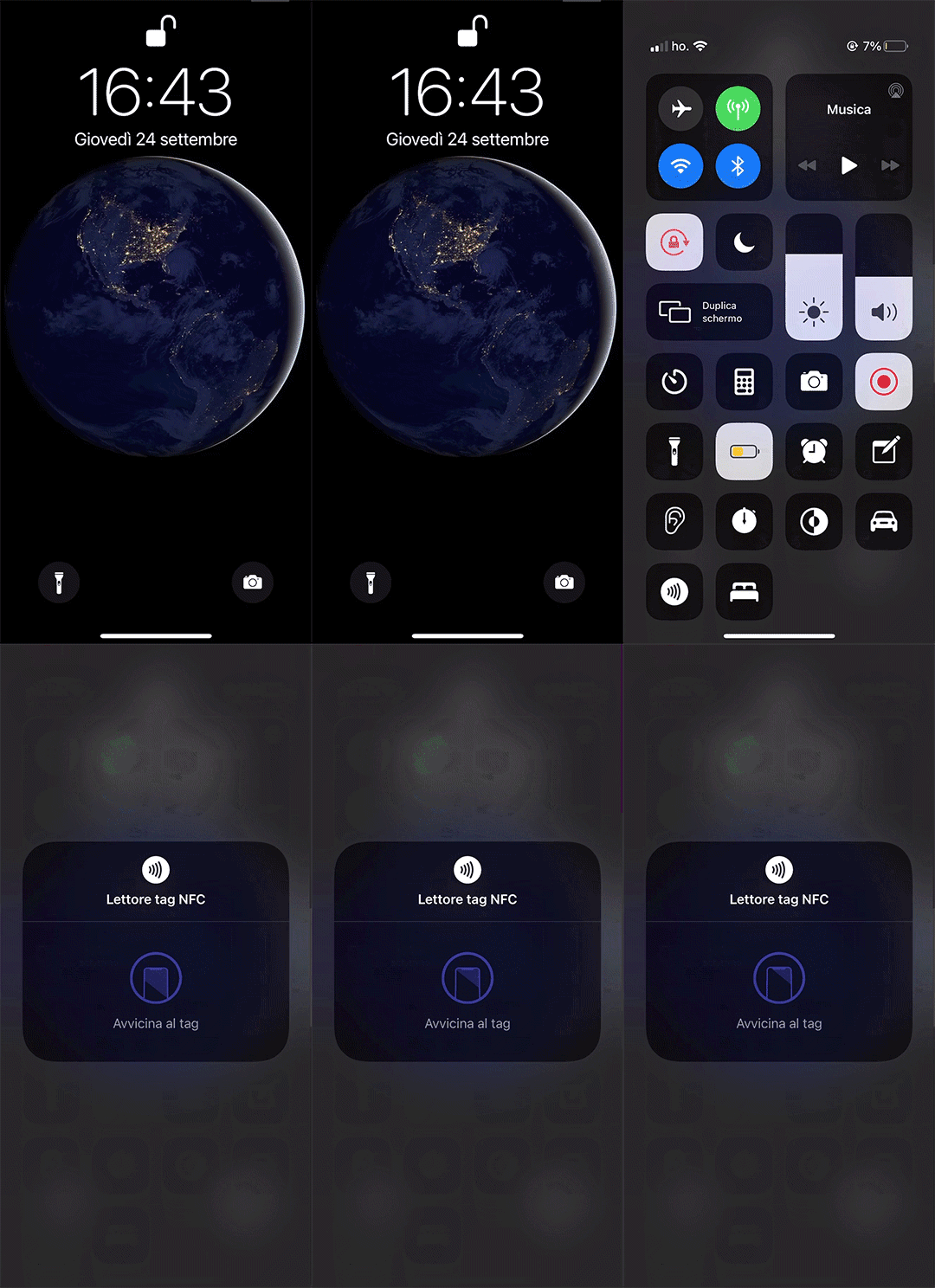
What's more: it's possible to read bluon.me via NFC technology even from iPhone 7 and newer models updated to iOS 14 operating system. Simply unlock your iPhone, open Settings and go to "Control Center". In "More Controls", select the NFC Tag Reader with the + button. At this point, by swiping up the Control Center panel from the bottom, you can select the NFC reader and bring your bluon.me close to the phone with the display on and unlocked.
Only if you haven't yet updated to iOS 14, proceed as follows:
- Download an app that allows you to read an NFC tag, such as NFC SCANNER, NFC READER & SCANNER, GO TO TAGS or NFC/QR Scan.
- Once you've opened the app, simply activate the NFC reader and bring your bluon.me close to the phone with the display on and unlocked: immediately the useful link will open to get in touch with the family members of the missing person or pet, via phone contact (call or SMS) or automatic chat.
There remains the option for owners of earlier iPhone models to track down the person's relatives or the dog's owners through the web address printed on the bluon.me.